
Chiro Quick Charts: Your all-in-one EHR practice management solution
Electronic records, billing, scheduling, text messaging, online forms, and online patient booking: Chiro Quick Charts is powerful enough to manage even the busiest practices, but simple enough for a solo doctor to use.
- Free Trial
- Efficient, easy to use, and quick to learn
- Knowledgeable, one on one support
- Serving chiropractors since 1983
Number of Years in Business
Number of Practices that have used Chiro Quick Charts
Average Tenure of Chiro Quick Charts Support Staff
Watch Our Online Demo
Request a Free Trial
Billing
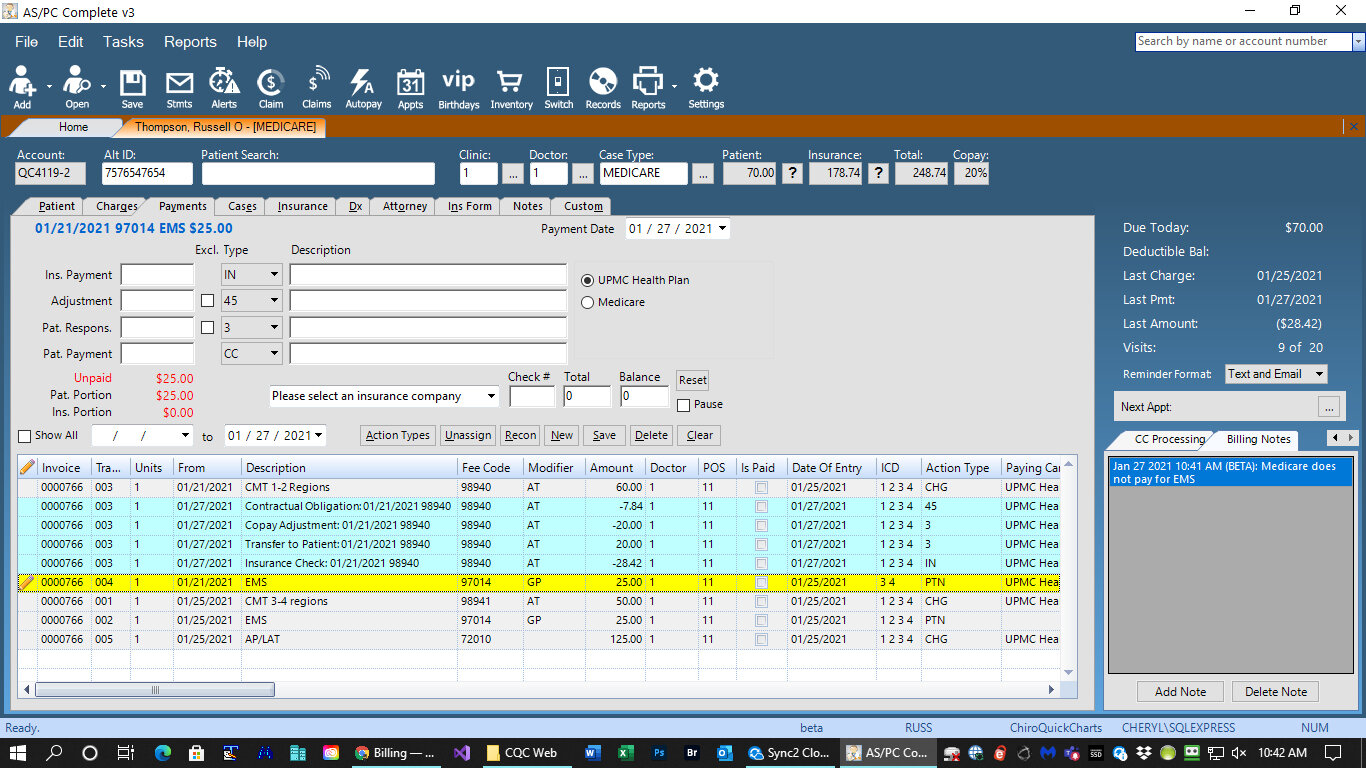
- Batch Real Time Eligibility Check – Check all patients for the day in seconds.
- Electronic ERA payment processing
- Electronic claims processing
- Electronic statements – easy to understand
- Fully integrated credit card processing
- Touchless check in via bar code
- Supplements inventory and sales support
Scheduling
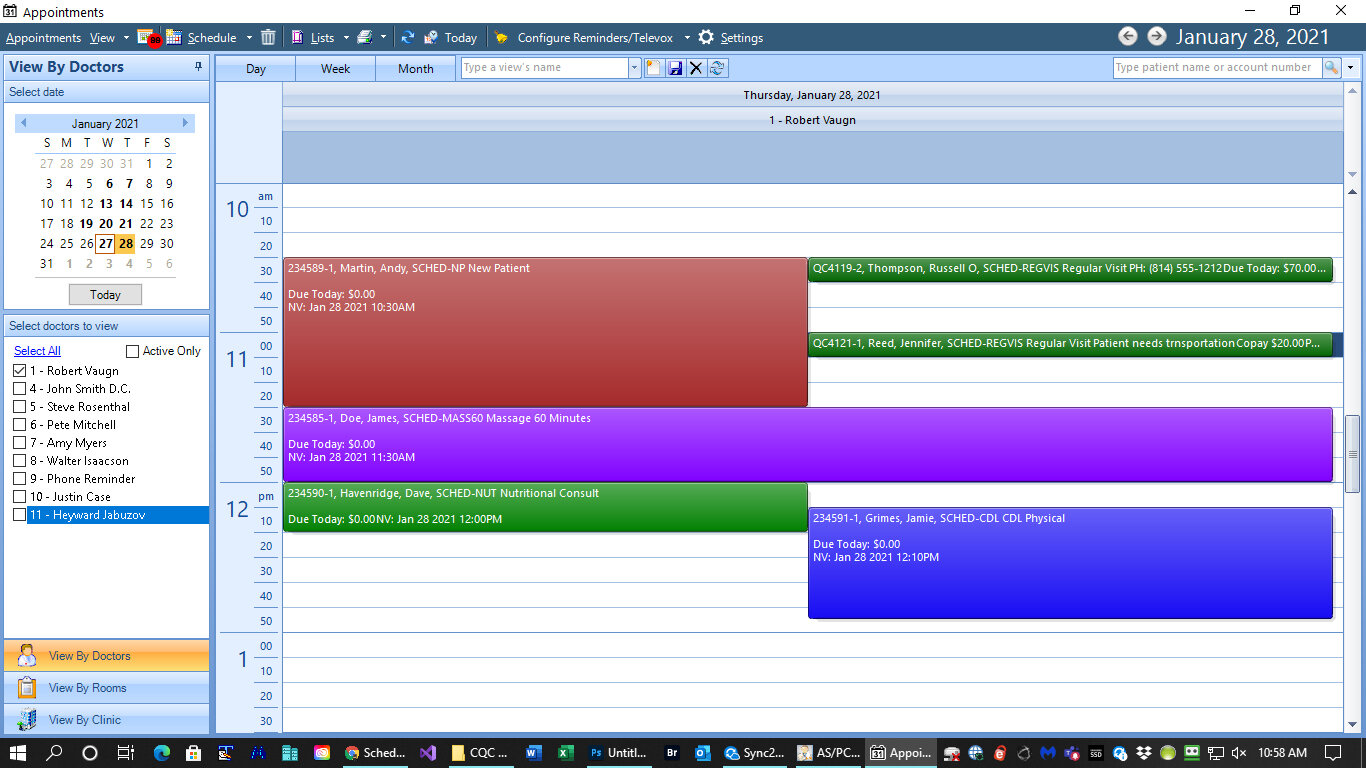
- Simplified scheduling and check in
- Email and text appointment reminders
- Retention and statistical reporting
- Drag and drop schedule changes
- Integration to Web Scheduling Portal
Patient Records
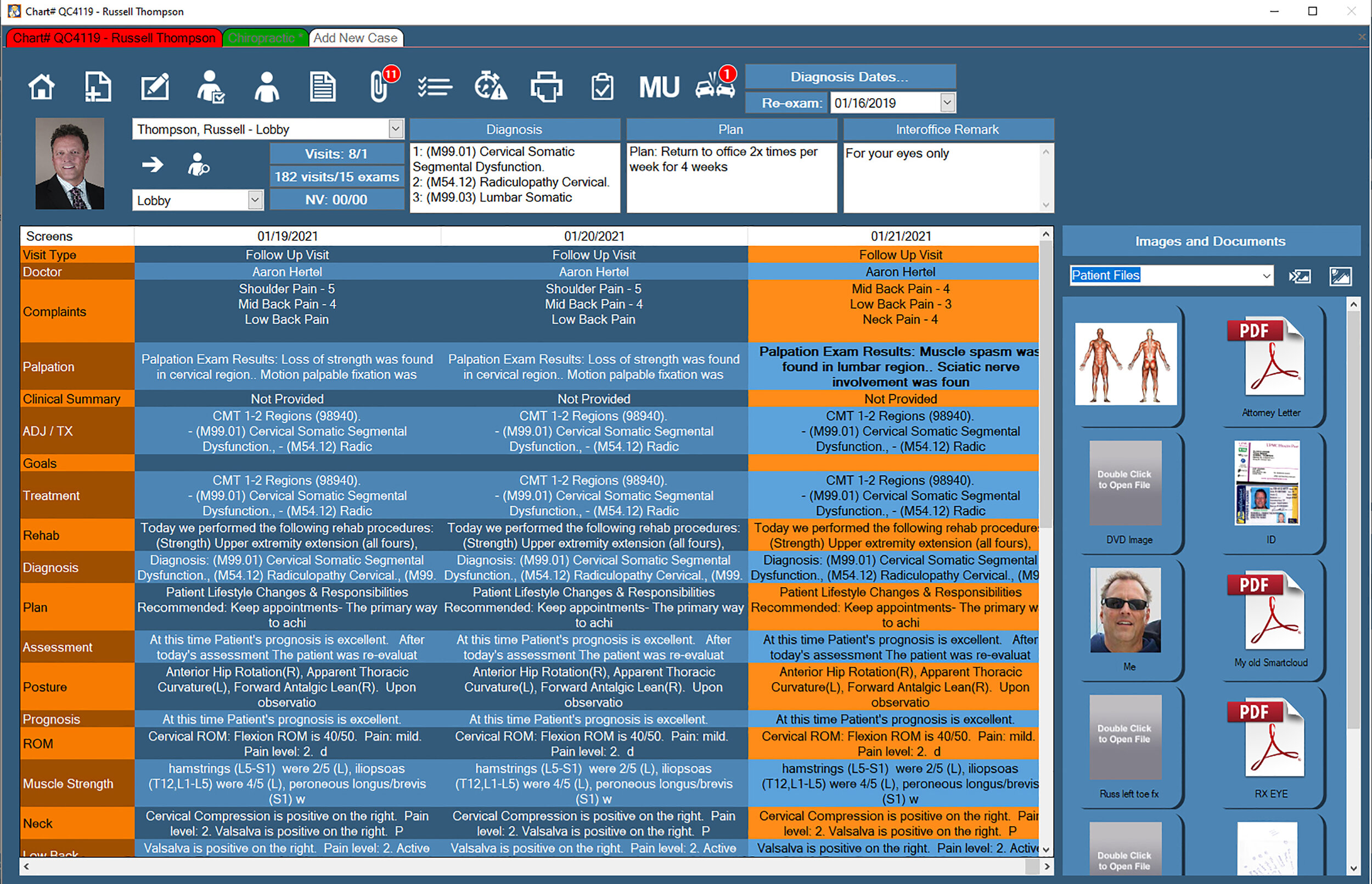
- Mindlessly simple to learn and use
- Templated Notes – Complete daily note and billing in under 30 seconds
- Fully certified software
- Patient imaging and document storage
- Full billing integration
- Fully customizable templates
“I really appreciate the awesome tech support that you guys have given. Amazing!!!!”
Try Chiro Quick Charts in your practice with our Free Trial
Find out firsthand how Chiro Quick Charts can streamline your practice with our no obligation free trial. Get access to the full Chiro Quick Charts EHR suite, including billing, scheduling, patient records and support by our industry leading support team.
Get unlimited access to the full Chiro Quick Charts suite
Training, software set up, and support included
Free, no obligation, and hassle free